Scan Compare
Prove local SEO progress with before and after maps
Put an older scan next to a newer one and see every pin that improved, slipped, or stayed flat—built for client retention conversations.
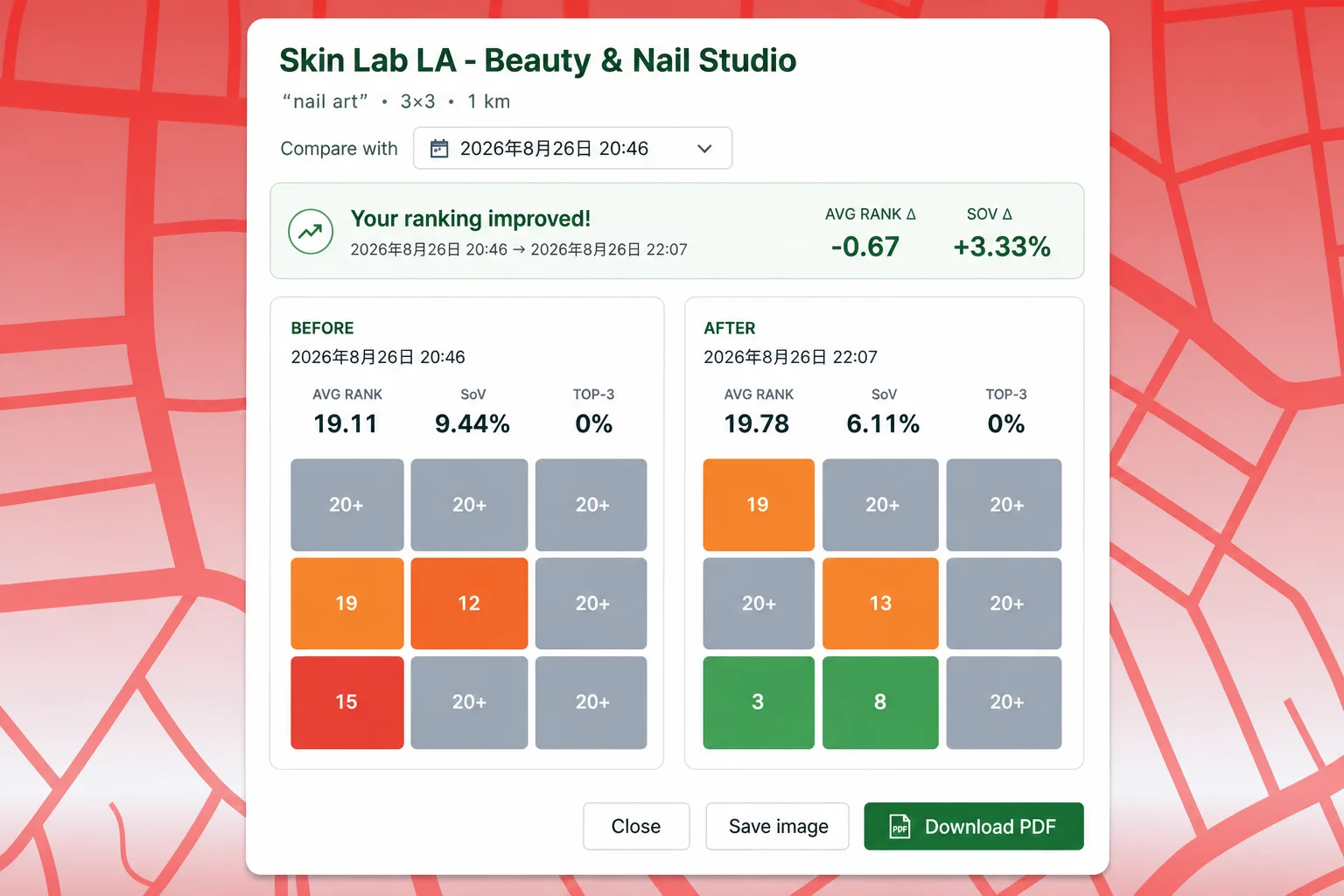
Clients ask “did it work?”—you need more than a single rank
Without a visual before/after map, it is hard to show that visibility improved in target neighborhoods even when one average rank barely moved.
What you get
- Side-by-side scan comparison for the same keyword series
- Pin-level movement across the geo grid
- Pair with PDF and CSV export on Pro for client deliverables
- Scan history stored locally for repeat comparisons
- Works with unlimited scans on Free—compare views on Pro
Compare workflow
Scan history
Past scans stay in your dashboard grouped by business and keyword.
Pick two dates
Select baseline and follow-up scans from the same series.
Visual delta
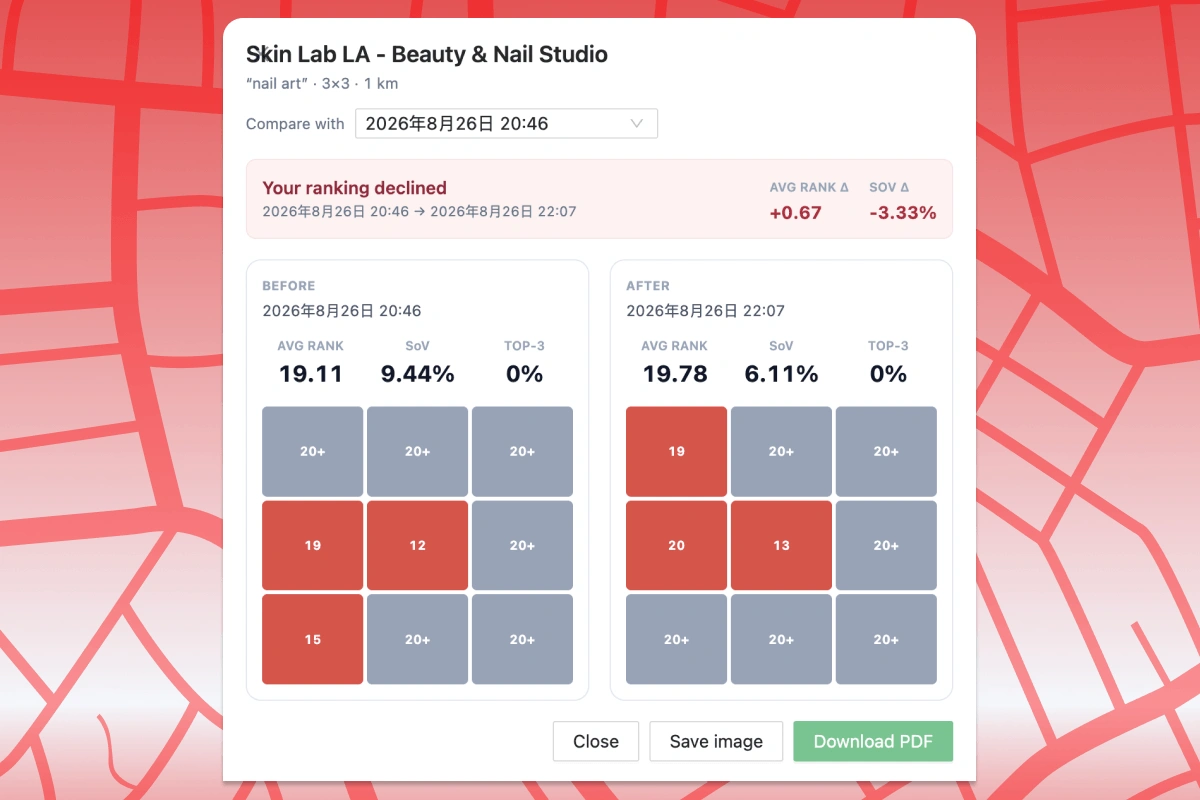
See rank changes across the map instead of guessing from memory.
Export proof
Send PDF or map images with Pro when the client meeting starts.
Report preview
Use cases
Monthly retainers
Show movement since last month’s optimization sprint.
Citation or review campaigns
Compare scans before and after a focused visibility push.
Renewal conversations
Give decision-makers a clear map when they ask about ROI.
How to run Scan Compare
Run a baseline scan
Capture the grid before major local SEO work.
Re-scan after work
Use the same keyword, grid, and radius when possible.
Open Scan Compare
Select two completed scans in the report and view the comparison (Pro).
Limits & Pro
- Scan Compare is a Pro feature.
- Best results use matching keyword, grid size, and radius settings.
- Rankings vary by time and Google signals—compare scans run under similar conditions.
Related features
Scan Compare FAQ
Is Scan Compare available on Free?
No. Before/after compare is included with Pro alongside unlimited report views.
How many scans can I store?
Completed scans are kept locally in your browser. Storage depends on your device and Chrome limits.
Can I compare different keywords?
Compare works best within the same keyword series. Use separate comparisons per keyword for clarity.
Run Scan Compare in your browser
Install Local Rank Tracker and run geo-grid scans on Google Maps—starting with Scan Compare.